


Forge Academy · Practical workshop
A 30-day AI influencer content calendar you can use
By the InfluencerForge Editorial Team
Open the worked example ↓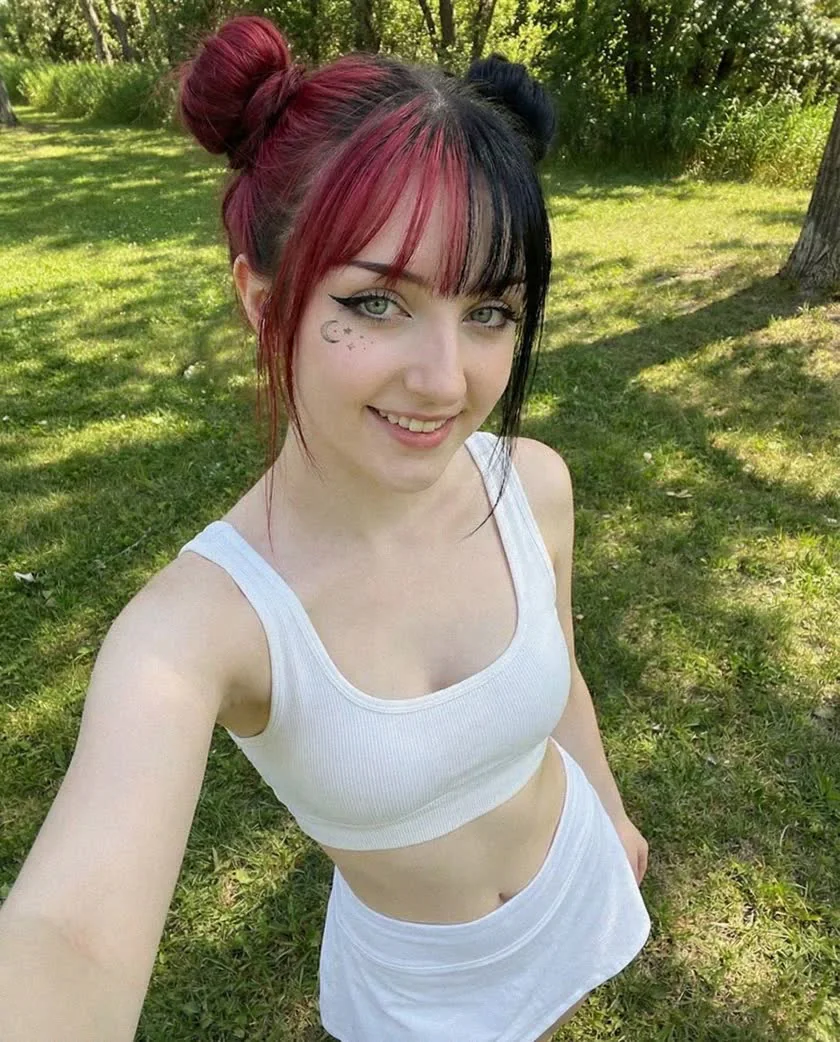
TL;DR — Plan each post around one recognizable persona, a repeatable format and a specific audience action. The downloadable example below contains 30 days of briefs and captions; its 28 new HD frames and four Fast clips cost 1,232 credits before training and extra attempts.
One trained persona can carry a full month of content if you plan formats against credits instead of improvising daily. The spread is wide: a feed image costs 12 to 14 credits, a UGC ad that has to show your real product costs 56, and the default 5-second Fast Video clip costs 210. The month's budget is decided by how many product renders and clips you commit to, not by the daily posts.
This guide builds the calendar, works the budget for each plan tier, and covers the publishing habits — including AI disclosure — that keep the account healthy.
The working example
One persona. A month with a point of view.
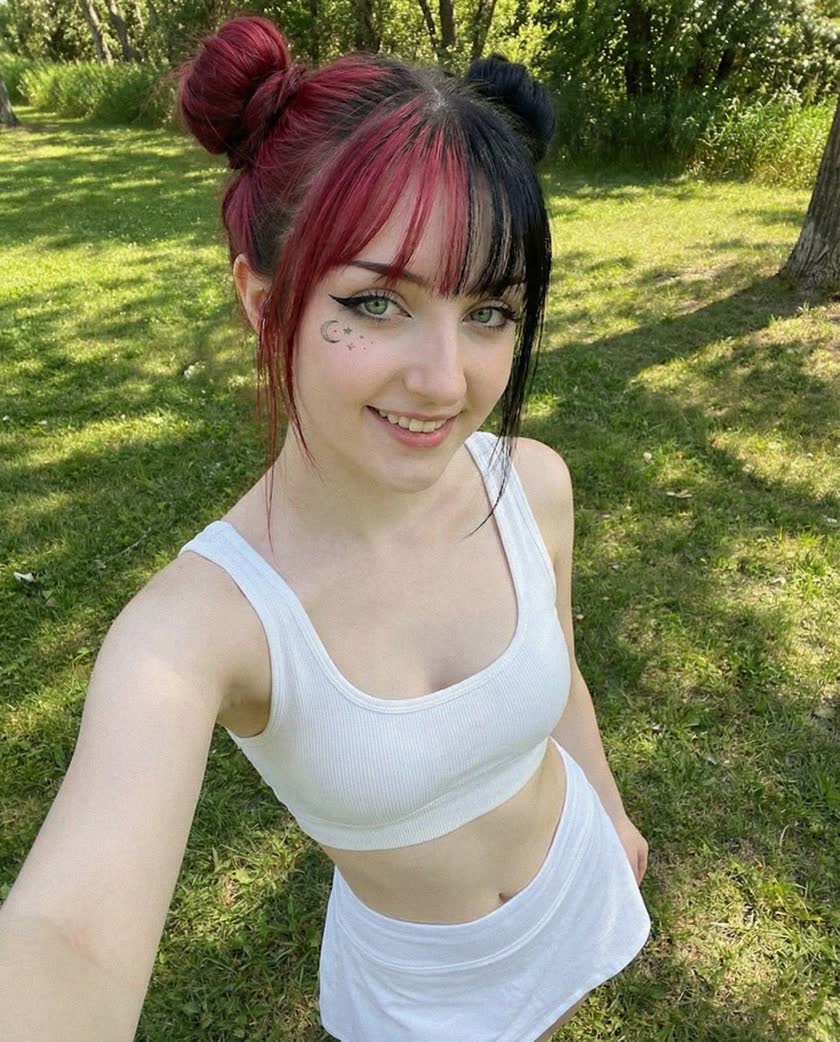
Our fictional brief: Iris is a 24-year-old AI character whose visual world is city walks, simple outfits and quiet café scenes. The public account is SFW and identifies her as synthetic. The same room, wardrobe and daylight return often enough to feel like a coherent series.
Three formats carry the month: a familiar mirror scene, an outdoor portrait and a short scene-making breakdown. Keep that promise narrow enough that you can actually produce it. The worked Instagram profile shows how the bio and pinned posts introduce it.
Download the 30-day CSV ↓The complete calendar
Know what you are making before you open the generator.
Every day has a production brief, a caption starter and a next step. Prompts are scene directions for your trained persona, not claims that the pictured sample was generated with those exact words. Stories reuse an existing image; Reels animate a specified still. Add platform-appropriate AI labels when publishing.
Days 1–7Introduce the characterMake the identity and recurring settings easy to recognize.
- 01Photo
Meet Iris
Window-lit portrait, white sports top, relaxed expression, ordinary bedroom; leave room above the shoulders.
“I'm Iris, a fictional AI creator. This month: city walks, simple outfits and the scenes behind them.”
Next step: Follow for the next walk.
14 generation credits
- 02Photo
The familiar mirror
Seated mirror selfie, white tennis skirt, soft side light, phone held naturally, uncluttered room.
“Keeping the outfit simple. Which detail would you change?”
Next step: Ask one specific question.
14 generation credits
- 03Carousel
One walk, three frames
Make three separate frames: park entrance portrait, mid-distance walking shot, seated café scene. Keep the white outfit and daylight consistent.
“A fictional afternoon in three frames. The middle one sets the pace.”
Next step: Ask which frame should become a recurring series.
42 generation credits
- 04Story
Choose the next scene
Reuse day 2. Add a native poll: park or café? Keep the face unobstructed.
“Help direct the next AI scene.”
Next step: Vote in the poll.
0 generation credits · reuses day 2
- 05Photo
A quieter corner
Café window seat, neutral cardigan, cup on the table, overcast daylight, medium portrait.
“A quieter frame for the feed. Built with AI; coffee mood supplied by the scene.”
Next step: Invite a location suggestion.
14 generation credits
- 06Reel
Let the frame breathe
Animate day 5: a small head turn and one blink; fixed camera, stable cup and hands.
“The same scene, with one small movement.”
Next step: Compare watch time with the next motion test.
210 generation credits · reuses day 5
- 07Photo
Sunday contact sheet pick
Three-quarter portrait at the park, soft daylight, white sports top, calm background.
“The keeper from this week's AI shoot. Familiar face, different light.”
Next step: Ask what should stay consistent next week.
14 generation credits
Days 8–14Repeat a useful formatChange one detail at a time and collect your first observations.
- 08Photo
A recognizable Monday
Repeat the day-2 mirror setting with a light cardigan; keep camera height and lighting similar.
“Same corner, one wardrobe change. Building a series rather than starting over.”
Next step: Invite a choice between the two outfits.
14 generation credits
- 09Photo
Room for a story
Wider bedroom portrait near the window, subject off-center, natural fabric texture and soft shadows.
“A little more room around the character changes the whole scene.”
Next step: Ask whether viewers prefer close-ups or wider scenes.
14 generation credits
- 10Carousel
How the scene was made
Three new views of one park scene: close-up, three-quarter and full-body. Same outfit and time of day.
“AI scene notes: one identity, three camera distances. Swipe to see what changes.”
Next step: Save the framing idea.
42 generation credits
- 11Story
Answer the real question
Reuse day 9 behind a short answer to a real audience question. Do not invent a follower quote.
“Yes, Iris is synthetic. The scenes are planned and reviewed by a human.”
Next step: Invite a question about the creative process.
0 generation credits · reuses day 9
- 12Photo
The recurring route
Park path, white outfit, chest-height camera, a few leaves in the foreground, relaxed standing pose.
“Returning to a familiar setting. New frame, same visual world.”
Next step: Ask for the next setting within the niche.
14 generation credits
- 13Reel
A small camera move
Animate day 12 with a restrained push-in and slight hair movement. Keep the face and background stable.
“A short AI motion study from this week's park scene.”
Next step: Track completion and profile visits.
210 generation credits · reuses day 12
- 14Review
Keep one useful signal
Record reach, profile visits, follows, saves and shares for days 1–13. Compare like formats and note sample sizes.
“No new feed asset required today.”
Next step: Choose one format to repeat; do not change the entire account.
0 generation credits
Days 15–21Listen before making an offerUse actual responses to decide what deserves a fuller series.
- 15Photo
Repeat the strongest idea
Reuse the best-performing scene recipe from the first fortnight. Change only the location detail.
“A second take on a scene you wanted more of.”
Next step: Use that wording only if actual feedback supports it; otherwise describe the new scene.
14 generation credits
- 16Photo
An outfit with continuity
Light cardigan over white top, soft café window light, side-facing seated pose, simple table.
“One wardrobe, several scenes. Keeping the character recognizable.”
Next step: Ask which setting fits the outfit.
14 generation credits
- 17Carousel
Public scene, fuller story
Three frames of a fictional afternoon: mirror preparation, park walk, café portrait. Match wardrobe and light.
“Three parts of one AI story. Each frame should earn its place.”
Next step: Ask which chapter deserves another shoot.
42 generation credits
- 18Story
Test interest before an offer
Reuse day 16. Ask whether followers would value a complete themed image set or behind-the-scenes notes.
“Planning the next series. What would make it useful or enjoyable for you?”
Next step: Collect responses without promising an unavailable product.
0 generation credits · reuses day 16
- 19Photo
The scene they chose
Use the poll's winning setting, if there were responses; otherwise choose the scene that best fits the account brief.
“Today's scene direction: a familiar outfit in a new corner.”
Next step: Credit real audience input only when it exists.
14 generation credits
- 20Reel
One movement, no distraction
Animate day 19: subtle breathing and a small glance toward camera. Avoid a large body turn.
“A little movement, with the identity kept intact.”
Next step: Compare with day 13 before changing the format.
210 generation credits · reuses day 19
- 21Photo
Explain the next step
Clean daylight portrait with negative space for a short native caption overlay.
“If a paid collection is ready: explain exactly what it contains. Otherwise preview the next public series.”
Next step: Link only to a complete destination with an accurate offer.
14 generation credits
Days 22–30Test the next stepConnect interest to a complete destination, then review the whole month.
- 22Photo
A reliable recurring scene
Return to the mirror location, keep the camera height, change just one wardrobe detail.
“Back to the familiar frame. Series are built through small variations.”
Next step: Invite a concrete outfit choice.
14 generation credits
- 23Photo
Texture over spectacle
Natural side light, visible fabric texture, relaxed hands, ordinary café table, no dramatic beauty lighting.
“Today's direction: less polish, more believable light.”
Next step: Ask which detail makes the scene feel coherent.
14 generation credits
- 24Carousel
Three ways to frame it
Create close, medium and wide versions of one outdoor setup. Keep the outfit and lighting direction fixed.
“Same AI character, three compositions. A useful way to choose the next series.”
Next step: Invite a preferred crop; measure saves.
42 generation credits
- 25Story
Answer before selling
Reuse day 23. Answer a genuine question about the public series or the paid offer if it exists.
“What the collection includes, how often it updates, and that Iris is AI-generated.”
Next step: Add one destination only when it answers the question.
0 generation credits · reuses day 23
- 26Photo
A clear preview
Produce one SFW preview matching the actual theme of the next finished collection. Do not imply a live event.
“A preview of the next AI-created series. State what is included and what is optional.”
Next step: Use a specific next step rather than unexplained 'exclusive content'.
14 generation credits
- 27Reel
Close the visual loop
Animate day 26 with one restrained camera movement; preserve the source framing and identity.
“A short preview of the series, clearly labeled as AI-created.”
Next step: Check whether viewers visit the profile, not only whether they watch.
210 generation credits · reuses day 26
- 28Photo
Return to the beginning
Revisit day 1's portrait setup with the same light direction and a slightly wider composition.
“One month of scene studies with Iris. What should the next chapter explore?”
Next step: Invite a direction for next month.
14 generation credits
- 29Photo
One final controlled test
Repeat a proven scene; change either the camera distance or background, not both.
“Testing one detail so the next decision has a reason.”
Next step: Compare the matching pair after a similar observation window.
14 generation credits
- 30Review
Plan from evidence
Review the month's content and funnel. Record the sample size, top repeated format, production spend and next hypothesis.
“Keep the useful series. Retire one weak format. Budget next month.”
Next step: Choose one bottleneck to work on next.
0 generation credits
Production, not guesswork
Count frames, not just posts.
This downloadable example
1,232 credits
- 28 HD frames × 14
- 392
- 4 × 5s Fast clips
- 840
- 4 reused Stories + 2 review days
- 0 new renders
A three-image carousel needs three frames. A Reel in this example reuses a still, so it adds motion cost but no new source image. Caption writing, scheduling and replies still take your time.
This budget excludes initial model training, discarded attempts, premium sets and product-reference ads. A 20% image-experiment allowance adds 84 credits; a failed technical job and a usable image you decide not to publish are different cases. See iteration and refund rules.
The workflow below also includes a separate mixed campaign example with product ads. Choose the budget that matches your actual deliverables; check current generation rates before scaling it.
Run the workflow
- 1
Define the persona's content pillars
Choose three or four recurring themes the persona posts about — for example lifestyle, product features, and behind-the-scenes. Pillars keep a synthetic persona coherent over weeks the same way a niche keeps a human creator coherent. Building a consistent AI influencer covers pillar strategy in depth.
- 2
Sketch the 30-day calendar
Map each day to a pillar and a format before generating anything — a simple grid of date, pillar, format, and placement is enough. Working from a content calendar turns generation into batch work instead of a daily scramble.
- 3
Mix formats by cost
Weight the calendar toward cheap formats and spend big only where motion or a real product shot earns it. The per-asset costs from the pricing table are your planning units.
- Feed image at 1080p: 14 credits (draft at 720p for 12)
- UGC product ad with your own product in frame: 56 credits per image
- Creator-style still that does not have to show the product: ordinary image pricing, 12 to 14 credits
- Fast Video: 210 credits for the 5-second default; check longer modes per second
- 1080p hero shot for campaigns: 14 credits
- 4
Budget against your plan
A worked example: 20 feed images at 1080p (280 credits), 8 UGC product ads (448), and 4 5-second clips (840) totals 1,568 credits. Starter's 3,000 monthly credits still cover one persona, with roughly 1,400 left for reshoots; Creator's 9,000 supports several personas, a video-heavy mix, or a month with far more product shots; Studio's 22,000 supports high-volume output across multiple brands. Every plan is currently single-seat. What an AI influencer costs breaks the economics down further.
- 5
Batch produce weekly
Generate a week at a time in one sitting: draft at 720p, re-render the keepers at publishing resolution, and animate at most one proven winner. Store each week in its own collection so export day is one ZIP per week, not an archive dig.
- 6
Label AI content before publishing
Major platforms require realistic synthetic media to be labeled, and the rules are tightening rather than relaxing. Use each platform's built-in AI disclosure tools and keep the persona's synthetic nature consistent across posts — platform label rules has the per-platform details.
Frequently asked questions
Follow along with 100 free credits
No card required. Explore showcase models with free credits. Product-reference ads and commercial delivery require a paid plan; model training has its own eligibility and credit cost.